My Tello
Tello LLCCommunication
3.91.44K Reviews
- Version
- 3.23.1
- Installs
- 100.00K
- Age Rating
- Everyone
Screenshots
Our Review of My Tello
 Analysis by Appyee
My Tello is a free communication app from Tello LLC that puts one practical task at the center: managing a Tello mobile account and using Wi-Fi for calls. I found it most useful not as a general-purpose messaging replacement, but as a control panel for people who already use Tello and want to handle everyday service tasks without opening a browser or calling support.
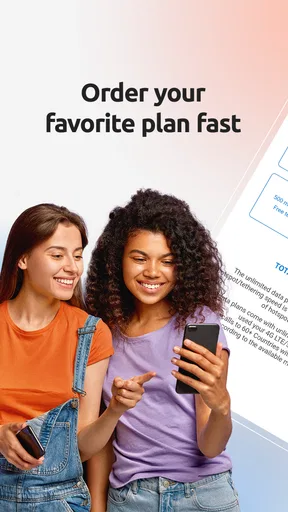
That distinction matters. The app is built around account management, balance checking, purchasing a Cell Plan or Pay As You Go service, and making calls over Wi-Fi. In my experience, its value comes from bringing those actions together in one place. If you are a Tello customer who regularly checks remaining credit or needs to adjust service while away from a reliable mobile signal, this focused approach can be genuinely convenient.
Why Wi-Fi calling is the feature that changes the experience
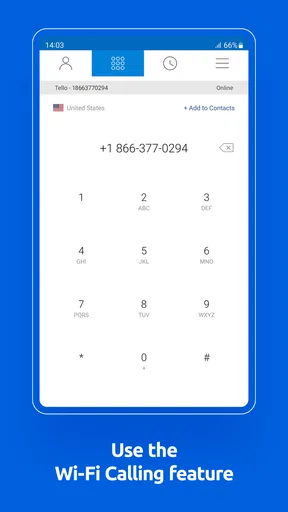
The most important capability here is the ability to call over Wi-Fi. That sounds simple, but its practical effect depends heavily on where you use the phone. A strong Wi-Fi connection can make the app useful in places where cellular coverage is weak, inconsistent, or unavailable. It can also help when you are trying to avoid relying entirely on the mobile network for a call.
I would not treat Wi-Fi calling as a magic solution for every connection problem. The quality of a call still depends on the Wi-Fi network, congestion, and the stability of the connection. A busy public network may be less dependable than a good home connection, and moving between networks can interrupt the experience. Still, when the connection is steady, being able to call through Wi-Fi gives Tello users another practical route to stay reachable.
The feature is especially relevant for people who spend time indoors, work in buildings with poor reception, or travel between areas with uneven coverage. It is also useful as a backup habit: before assuming the phone cannot make a call, I would check whether the device has a solid Wi-Fi connection and then try through the app.
The real advantage is flexibility, not simply the word “Wi-Fi.” The app gives a Tello customer a way to combine service management with calling in the same account-focused environment. That makes it different from a standalone internet-calling app, which may offer voice communication but does not necessarily help you check your Tello balance or change the way you pay for service.
What I would do before depending on it
My first recommendation is to sign in and explore the account area while you still have a dependable connection. Check where the balance appears, locate the plan-purchase controls, and make sure you understand how the calling portion is presented. Doing this before an urgent call avoids having to learn the interface in the middle of a weak-signal situation.
I would also test the calling experience from a familiar Wi-Fi network rather than waiting until an important conversation. That gives you a realistic sense of how your own connection behaves. The app can provide the option to call over Wi-Fi, but it cannot turn an unstable network into a reliable one.
Another useful habit is to treat balance checking as part of your normal phone routine. Instead of waiting until service stops behaving as expected, open the account view when you are planning a trip, changing your calling habits, or deciding whether a different Tello option makes sense. This is one of the less obvious strengths of a dedicated carrier app: it can make service awareness easier than relying on memory.
How the account tools work in everyday use
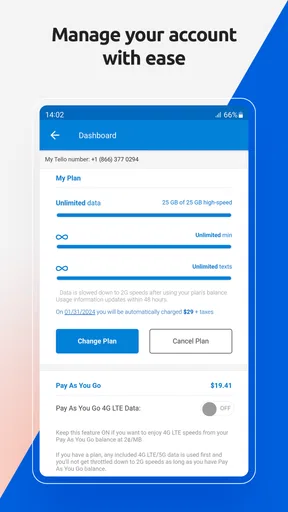
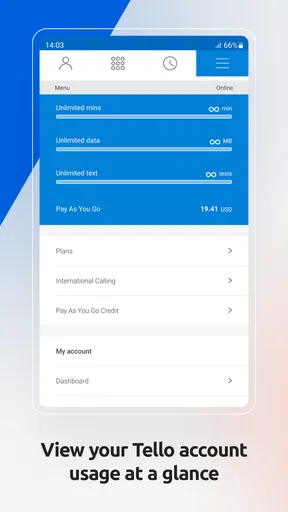
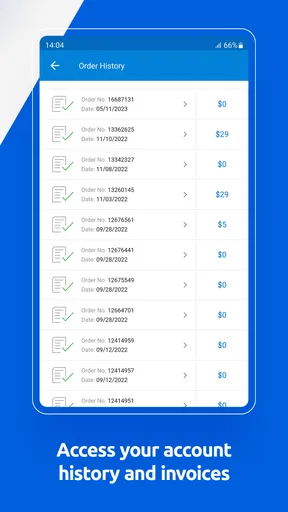
My Tello combines several account actions that are often scattered across a carrier website, a phone menu, or a support conversation. From the app’s purpose, I see it as a compact dashboard: check your balance, manage the account, buy a Cell Plan, or choose Pay As You Go service. That combination is more useful than any one button by itself because the decisions are connected.
For example, checking a balance before buying more service helps you avoid making a purchase simply because you are unsure what remains. Conversely, reviewing the account before a busy week can help you decide whether your current arrangement is still suitable. The app does not need to be opened constantly; it is most valuable at those small decision points when you need a clear view of the account.
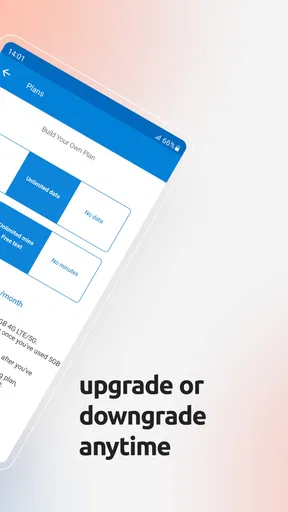
The choice between a Cell Plan and Pay As You Go is another reason this app may appeal to occasional users. Someone with a predictable routine may prefer the structure of a plan, while someone whose usage changes from month to month may appreciate a more flexible approach. I would not choose between them purely from inside the app without considering how often I call and how much control I want over recurring service. The useful part is that both paths are available through the same account tool.
One practical workflow is to open the app before a trip, review the balance, and decide whether the current service is enough for the period ahead. If it is not, you can handle the purchase before leaving a reliable connection. This is more sensible than waiting until you are already somewhere with poor reception and then trying to solve the problem under pressure.
Another workflow is useful for people who share responsibility for a phone account. Rather than asking someone else to check the balance or make a change, the account holder can use the app directly. That reduces unnecessary back-and-forth, although I would still be careful on shared devices and make sure the account is not left open for someone else to access.
My Tello is rated for Everyone, which fits its straightforward account-management purpose. It is also a relatively established app, released on October 13, 2015, and the current version is 3.23.1. The minimum operating-system requirement is 10, so I would check the phone’s software before planning to rely on it. That is a small detail, but it can become an unpleasant surprise when an older device is the only phone available.
A realistic day with the app
Imagine I am working from a building where cellular reception is unreliable, but the office Wi-Fi is stable. Before making a call, I can open My Tello, confirm the account situation, and use the Wi-Fi calling option rather than repeatedly walking outside to find a signal. If I am close to running out of available service, the same account area gives me a way to review the appropriate purchase route.
Later, if I am preparing for a weekend away, I can check the balance again and decide whether Pay As You Go or a Cell Plan better matches my expected use. The important benefit is not that the app makes the decision for me. It puts the relevant account actions in reach, so I can make the decision before the situation becomes urgent.
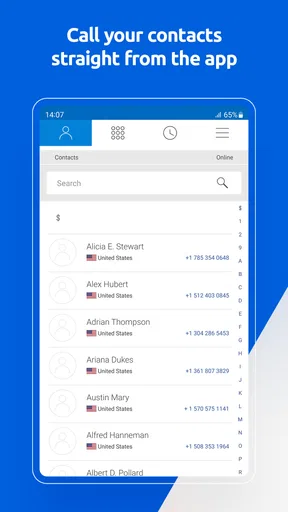
This is also where I noticed the difference between a carrier utility and a normal communication app. A messaging app begins with conversations and contacts. My Tello begins with the service that makes communication possible. For a Tello customer, that can be the more useful starting point when the immediate problem is not “who should I message?” but “can I call, what do I have left, and do I need to change my service?”
The best situation for using My Tello
The strongest use case is a Tello customer who wants a simple way to monitor service and keep Wi-Fi calling available as a backup. I think of a person who spends time at home, in a workplace, or in another regular location where Wi-Fi is dependable but cellular reception is not. For that person, the app can reduce friction in two ways: it makes account information easier to reach, and it offers an alternative path for calls.
It also makes sense for people with irregular usage. If your calling needs change often, being able to check the balance and choose between a plan and Pay As You Go service from one app is more practical than committing to a routine you do not follow. The app is not only for heavy users; occasional users may benefit even more because they are less likely to remember their account status.
I can also see value for someone who prefers handling service independently. The app lets that person inspect the account and make a purchase without treating every small change as a support issue. That does not eliminate the need for help in every circumstance, but it can make ordinary account decisions feel more direct.
There is a useful travel angle as well. Before leaving home, I would use the app to check the balance and prepare the service I expect to need. Once I arrive, a trustworthy Wi-Fi connection may let me call even if the mobile signal is disappointing. I would still avoid making it my only communication plan for an important trip, but it is a sensible layer of backup for a Tello line.
The app’s audience is reflected in its reach: it has more than one hundred thousand installs, with an average rating of 3.9 from around three thousand four hundred ratings. I read that as a sign of a useful but not universally smooth experience. There is enough adoption to make it a familiar tool for many Tello customers, while the rating suggests that expectations and real-world phone conditions can vary.
Where the convenience has limits
The biggest trade-off is that My Tello is tightly tied to Tello service. That focus is helpful if you are already a customer, but it gives the app little reason to exist for someone using another carrier. In that situation, a carrier-specific account app from your own provider will be more relevant, and a normal calling or messaging app may be a better fit for communication itself.
Wi-Fi calling also introduces a dependency that is easy to overlook. A Wi-Fi symbol does not automatically mean a good calling connection. Networks can be slow, crowded, or configured in ways that make voice communication unreliable. I would be cautious about using an unfamiliar public network for an important call, especially if the conversation cannot be interrupted.
There is a second trade-off between flexibility and simplicity. Having both Cell Plan and Pay As You Go options is useful, but it means you still need to understand your own usage. The app can put choices in front of you; it cannot know whether your next month will be light or busy. A user who wants a completely automatic, hands-off service experience may find account decisions less appealing than someone who likes control.
The app is also not a substitute for every communication tool. I would not expect it to replace a full messaging platform, a video-chat service, or a contact-centered calling app. If your main need is group conversation, media sharing, or broad cross-platform messaging, a conventional communication service will usually be better. My Tello makes more sense when the carrier account and the ability to call are the center of the task.
Interface friction can matter more in a utility app than in an entertainment app. When I open a carrier tool, I usually want a quick answer or a quick action. If I have to search around for the balance or the purchasing controls, the experience becomes less satisfying even if the underlying functions are useful. That is why I recommend exploring the app before an urgent need rather than treating the first launch as an emergency procedure.
Finally, the minimum operating-system requirement deserves attention. A phone running an older system may not be able to use the current release, so users with aging devices should verify compatibility before switching their account-management routine to the app. For people with supported phones, this is unlikely to be a major issue; for someone keeping an older handset as a backup, it could determine whether the app is practical.
Who gets the most value from it
I would recommend My Tello first to existing Tello customers who want account control in a mobile format. It is particularly well suited to people who check their balance, change service choices, or need a Wi-Fi-based calling option often enough that opening a website feels inconvenient. Its free price makes trying it low-risk for eligible users, and the Everyone age rating means it is presented as a broadly accessible utility rather than a specialized communication tool.
People who rely on steady Wi-Fi in their daily environment may gain the most. A home worker with weak indoor reception, a student in a building with inconsistent cellular coverage, or a traveler preparing for variable signal conditions can all find a practical reason to keep the app available. The key is having a dependable network; without that, the main capability loses much of its advantage.
Occasional Tello users can benefit too, especially if they dislike recurring commitments or want to check service before spending more. The Pay As You Go route may suit a changing schedule, while a Cell Plan may be more convenient for predictable use. I would compare the options against actual habits rather than choosing based only on the labels.
I would skip it if you are looking for a universal communication hub. It is not the right choice for someone who needs rich messaging, group chats, video calls, or a service that works independently of a particular carrier account. I would also hesitate to rely on it as the sole plan for critical calls when the available Wi-Fi is uncertain.
Compared with managing Tello through a browser, the app’s advantage is immediacy: account actions and Wi-Fi calling are closer to the device you already use. Compared with a general calling app, its advantage is the connection to your Tello balance and service choices. Compared with a carrier-neutral communication platform, its limitation is the same connection: it is useful because it is specific, and restricted because it is specific.
After using it as a focused account tool, my opinion is positive but measured. My Tello is most valuable when you treat it as a service-management companion with Wi-Fi calling, not as a replacement for every communication app on your phone. Prepare the account before you need it, test Wi-Fi calling on a network you trust, and check your balance before making service decisions. For the right Tello customer, those small habits turn a basic utility into a dependable part of the phone routine.
Verdict
Strengths of My Tello
- Simple interface makes task management easy for beginners.
- Supports voice commands for hands-free task creation.
- Useful reminders help keep important tasks visible.
- Works well for organizing personal notes and to-dos.
- Lightweight design offers quick access without unnecessary features.
Limitations of My Tello
- Some advanced features may require a paid subscription.
- Voice recognition can struggle with accents or background noise.
- Customization options are limited compared with larger task apps.
- Synchronization may depend on a stable internet connection.
- Not ideal for complex projects requiring detailed collaboration.
Similar Picks in This Category
View All
Google Messages
Google LLC4.6

Gmail
Google LLC4.1

Google Meet
Google LLC4.4

Google Chrome
Google LLC4.1

WhatsApp Messenger
WhatsApp LLC4.6

Carrier Services
Google LLC4.2
Frequently Asked Questions
What is My Tello and what can I use it for?
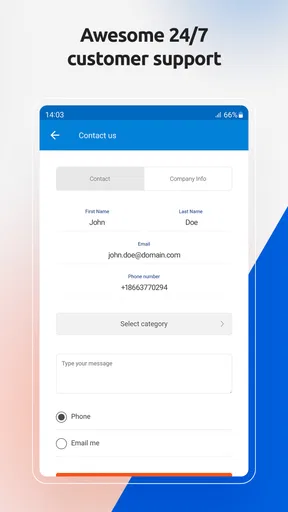
My Tello is a mobile app designed to help Tello customers manage their wireless service from an Android or iOS device. After signing in, users can typically review their current plan, monitor data, minutes, and messages, check account or billing information, manage available services, and access support resources. It is especially useful for handling everyday account tasks without needing to visit the Tello website.
Do I need to be a Tello customer to use My Tello?
Yes, My Tello is primarily intended for people who have a Tello account or an active Tello mobile service. You generally need your account credentials to sign in and access personalized information such as your plan, usage, balance, and billing details. If you are only researching Tello or have not created an account yet, the app may offer limited usefulness until your service is activated.
Can I manage my Tello plan and monitor data usage in the app?
One of the main reasons to install My Tello is the convenience of managing your mobile account in one place. Depending on your service and the current version of the app, you can usually view remaining data, minutes, or texts, review your plan details, and make changes or renewals when available. Usage information may not update instantly, so recent activity can occasionally take some time to appear.
Is My Tello free to download, and does using it consume mobile data?
My Tello is generally free to download from the official Google Play Store or Apple App Store, although your Tello service and selected plan are billed separately. Using the app over Wi-Fi normally does not use your cellular data allowance. If you open it while connected to mobile data, the app will consume a small amount of data, and standard network or roaming charges could apply depending on your connection.
What should I do if My Tello does not work or I cannot sign in?
If My Tello fails to open, displays outdated information, or rejects your login, first check your internet connection and confirm that you are using the correct Tello account credentials. Updating the app, restarting your device, or reinstalling it can also resolve temporary problems. If the issue continues, use Tello’s official support channels or website, particularly for account, payment, activation, or service-related problems that the app cannot fix.
